How to Bulk Delete or Archive Instagram Posts and Reels

By Trae Jacobs,

When you buy through our links, we may earn an affiliate commission.
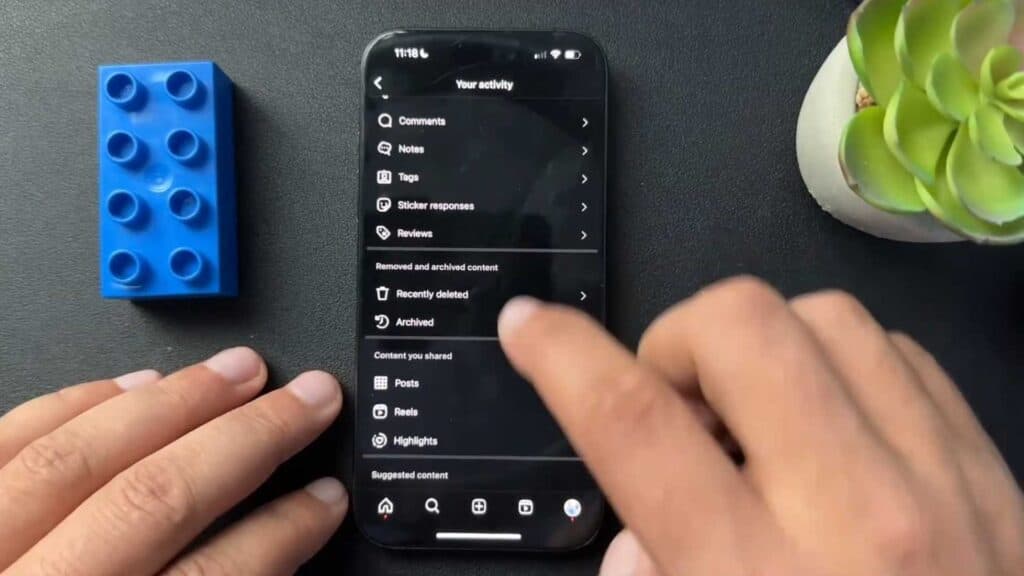
Your Instagram profile contains too many old posts that you want to remove at once. You can bulk delete or archive your content directly within the Instagram app.
- Open the Instagram app and navigate to your profile page [0:21].
- Tap the three horizontal lines in the top right corner to access your settings [0:28].
- Select “Your activity” and then tap “Post” under the content section [0:32].
- Tap the “Select” button to choose the specific posts or reels you want to manage [0:44].
- Choose to either archive or delete your selected content.
Ninja Tip: If you are unsure about deleting content permanently, use the Archive feature instead; archived posts are hidden from your followers but remain saved in your private “Archive” folder so you can restore them later if you change your mind.
If you want to clear your entire account history and start fresh, you can permanently deactivate your profile through Settings > Accounts Center > Personal details > Account ownership and control.
Keep Reading



