How to Block or Unblock Someone on TikTok

By Trae Jacobs,

When you buy through our links, we may earn an affiliate commission.
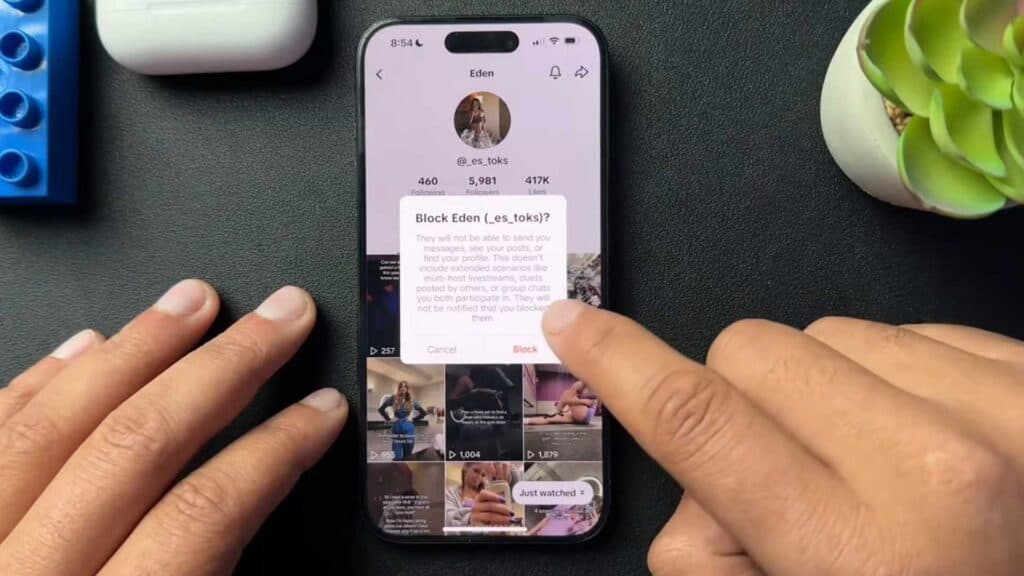
You need to stop a specific account from interacting with you on TikTok. You can resolve this by following the steps below.
- Open the TikTok app and navigate to the profile of the account you want to block [0:16].
- Tap the share icon located in the upper right-hand corner of their profile [0:32].
- Select the “Block” option from the bottom of the sharing menu and confirm your choice [0:40].
- To unblock an account, return to that same user’s profile, tap the share icon, and select “Unblock.”
Ninja Tip: You can also manage your blocked list directly by going to your own Profile > Settings and Privacy > Privacy > Blocked accounts to unblock multiple users at once.
If you are still seeing unwanted activity after blocking, you can restrict interactions further by going to Settings and Privacy > Privacy > Comments and setting who is allowed to comment on your videos.
Keep Reading


