How to Block a Person or Brand on Facebook

By Trae Jacobs,

When you buy through our links, we may earn an affiliate commission.
Unwanted profiles or pages appear in your feed and interact with your content. You can permanently restrict these accounts from your profile.
- Navigate to the profile or brand page you want to block [0:09].
- Select the three-dot icon located right next to the like button [0:23].
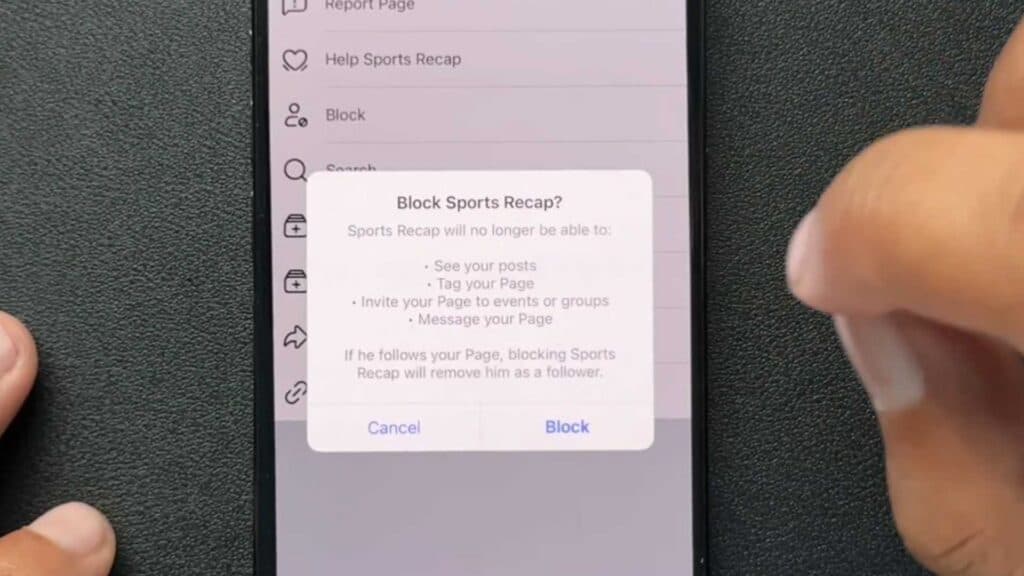
- Choose the block option from the menu list that appears [0:26].
- Confirm the action by clicking the block button to finalize the restriction [0:41].
Ninja Tip: You can also view and manage your entire blocked list by going to Settings & Privacy > Settings > Blocking to unblock or add new users at any time.
Access your full account settings by navigating to Settings & Privacy > Settings > Meta Accounts Center if you need to perform a full system reset.
Keep Reading



