How to Add Clickable Links to Your Instagram Bio, Stories, and Posts

By Trae Jacobs,

When you buy through our links, we may earn an affiliate commission.
You cannot make links clickable directly in your Instagram post captions or comments. You can fix this by using alternative methods for your bio, stories, and feed posts.
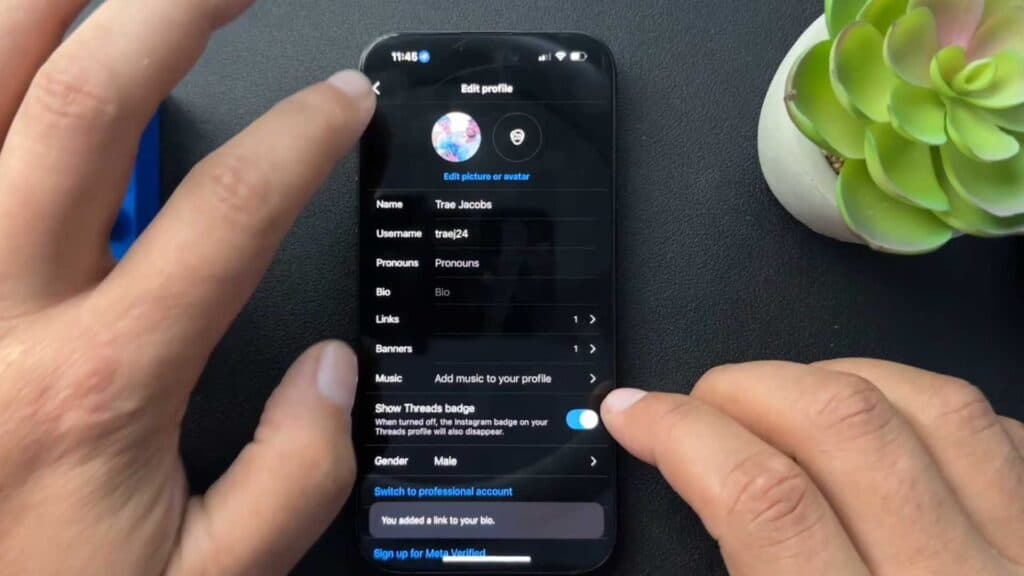
- To add a link to your bio, tap Edit Profile, select the Links section, and choose Add external link to paste your URL [0:54].
- Add a link to your Instagram Story by selecting the sticker icon and choosing the Link sticker, where you can paste your URL and customize the appearance [2:05].
- Since links in post captions are not clickable, use a tool like ManyChat to automate sending the link directly to a user’s DMs when they comment a specific keyword on your post.
Ninja Tip: Use a “link-in-bio” service like Linktree or Beacons to consolidate multiple URLs into one single link, which saves you from having to constantly update your profile URL.
For a clean slate, you can clear your app cache or reinstall Instagram through your device’s Settings > Apps > Instagram > Storage > Clear Cache.
Keep Reading



