How to Add a Second Person to Face ID on iPhone

By Trae Jacobs,

When you buy through our links, we may earn an affiliate commission.
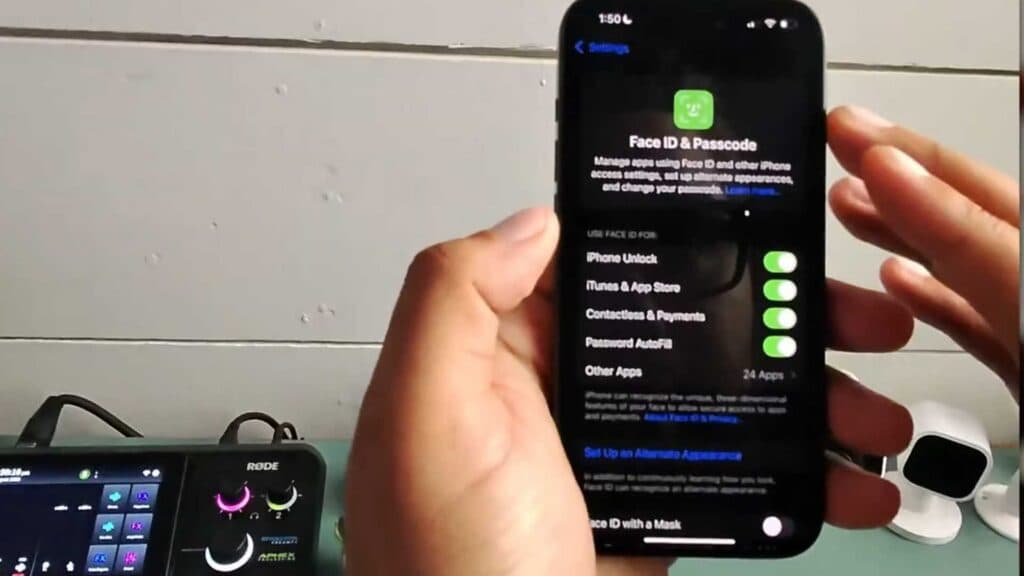
Only one person can currently unlock your iPhone with their face. You can fix this by setting up an alternate appearance in your settings.
- Open the Settings app on your iPhone and tap “Face ID & Passcode.”
- Enter your current passcode to access the security menu [0:15].
- Select the option that says “Set Up an Alternate Appearance” [0:23].
- Follow the on-screen prompts to complete the facial scan for the second person.
Ninja Tip: If you ever need to remove access for the second person, you must reset Face ID entirely, as there is no way to delete only the alternate appearance without clearing the primary one as well.
If the feature still fails to recognize the new face, you can perform a full reset by navigating to Settings > Face ID & Passcode > Reset Face ID.
Keep Reading



