How to Add a Debit or Credit Card to Your PayPal Account

By Trae Jacobs,

When you buy through our links, we may earn an affiliate commission.
Your debit card is not currently linked to your PayPal account, which prevents you from making online payments. You can add your card and start using it with these simple steps.
- Open the PayPal app on your device and navigate to the Account section [0:12].
- Select the option labeled Add banks and cards at the top of the menu [0:17].
- Choose Debit and credit cards from the list of options at the bottom of the screen [0:22].
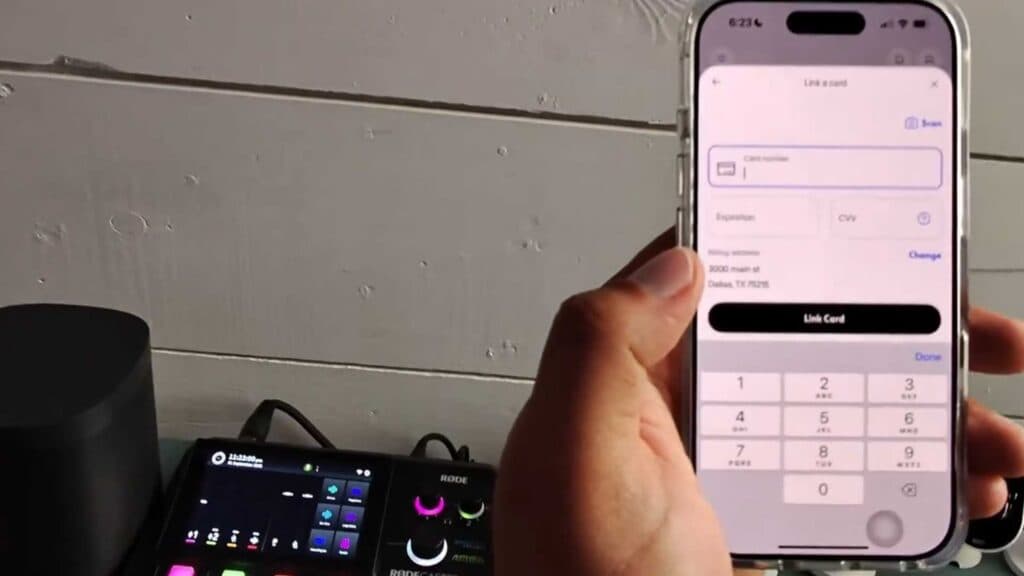
- Select whether you want to manually enter your card information or use the camera to scan the card [0:28].
- Input your card details or complete the scan, then tap Link Card to finalize the process.
Ninja Tip: If your card is declined, ensure your billing address in PayPal matches the address on your bank statement exactly, as a mismatch is a frequent cause for link failures.
If you still cannot link the card, go to Settings > Data & Privacy > Clear Cache to remove any stored app data that might be interfering with the connection.
Keep Reading



